After your wedding
How to Order Your Wedding Album
A simple step-by-step guide to choosing your favourites, selecting a cover and font, and approving your album design. If you get stuck at any point, just message me and I’ll help.
Step 1 — Choose your favourites in your online gallery
For your album, please use the favourites feature in your online wedding gallery to select your images. Don’t overthink it — choose the ones that feel like your day.
How many photos should I choose?
- 30-page album: around 40–50 images
- 40-page album: around 50–60 images
- 50-page album: around 60–70 images
Quick note: Please send me a quick email or text once you’ve finished selecting favourites. Occasionally I do not receive a notification from the gallery, so a message ensures I know you’re ready.
Step 2 — Choose your cover & font
Next, have a browse through the cover swatch book and the font selection guide. Pick your favourites and note them down — you’ll add them into the album request form in Step 3.
Swatch book (materials & colours)
Textiles, leatherettes, velvet & suede options, plus personalisation methods.
Font selection (cover personalisation)
A preview sheet showing available cover fonts.
Tip: If you’re stuck between two cover colours, send me a shortlist — I can recommend what tends to work best with your photos.
Step 3 — Complete the album request (order) form
Once your favourites are selected and you’ve chosen your cover and font, you can submit everything here. If you’re unsure on any details, add a shortlist — I’ll guide you.
Before you submit: please make sure your favourites selection is done in your gallery. If you haven’t already, send me a quick message afterwards — occasionally I don’t receive gallery notifications.
Album request form (embedded)
If the form doesn’t display for any reason, use the button above to open it on its own page.
What happens next?
- I’ll create your first album design.
- I’ll send you a proof to view.
- You can request changes, or approve when you’re happy.
Proofing & changes
When your design is ready, I’ll send a proof for you to view. You can request changes (image swaps, layout tweaks), or approve the pages if you’re happy with everything.
Common requests (totally normal)
- Swap a couple of images for different favourites
- Change the order of a few spreads
- Make one photo bigger / give it more space
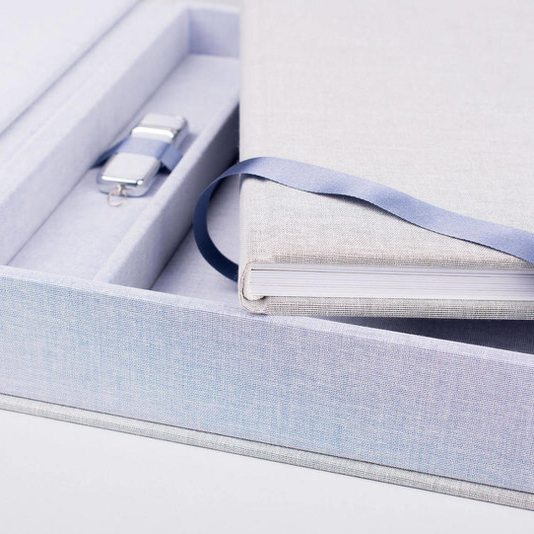
USB in your album boxset
If your album includes a boxset, it contains a USB slot. The USB will arrive blank because the boxset ships directly from the manufacturer. It’s there so you can back up your high-resolution images downloaded from your gallery. If you need downloads reactivated, just let me know.
Wedding album FAQ
A few quick answers to the questions I’m asked most often.
How many photos should I choose for my album?
As a guide: 40–50 images for a 30-page album, 50–60 for a 40-page album, or 60–70 for a 50-page album. This gives enough variety while keeping the design clean and story-led.
Do I need to choose the cover and font before I fill the form out?
Ideally yes — it makes the process smoother. If you’re undecided, add a shortlist in the form and I’ll help you narrow it down.
Can I make changes once I see the proof?
Absolutely. The proof stage is where you can request tweaks, swaps, or adjustments. Once you’re happy, you approve and I’ll move it to production.
I’ve submitted favourites — why should I still message you?
Occasionally the gallery doesn’t send me a notification. A quick email/text is just a simple fail-safe so I know you’re ready.